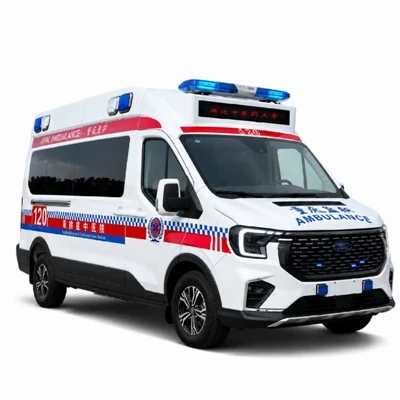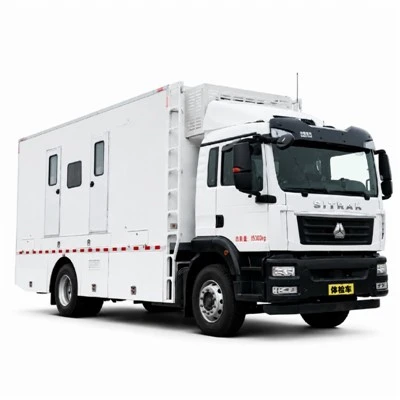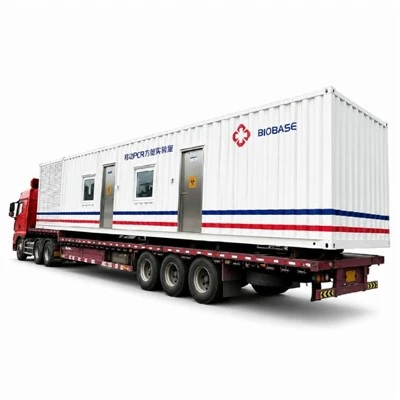


A mobile DR X-ray examination vehicle converts a vehicle into a complete digital imaging environment.
During a typical examination, the workflow is:
Patient Registration → Positioning → X-Ray Exposure → Detector Capture → Image Processing → Quality Check → Storage → PACS or Remote Diagnosis
The imaging process itself may take only a short time.
But reliable mobile operation depends on much more than the X-ray machine.
The vehicle also needs:
radiation protection
stable power
safe equipment mounting
HVAC
digital data management
network connectivity
patient workflow
A mobile DR vehicle is therefore best understood as a complete imaging system rather than a single piece of equipment installed inside a truck.
1. What Does DR Mean?
DR stands for Digital Radiography.
Instead of using traditional film, digital radiography uses an electronic detector to capture X-ray information.
The image can then be processed and displayed on a workstation within seconds.
This improves workflow for mobile screening because images can be:
reviewed immediately
stored digitally
transmitted electronically
sent to remote specialists
2. What Happens During a Mobile DR Examination?
A typical examination may follow these steps:
Patient information is registered
Patient enters the imaging room
Radiographer positions the patient
X-ray parameters are selected
Exposure is performed
Detector captures the X-ray signal
Digital image appears on the workstation
Operator checks image quality
Image is stored or transmitted
Patient exits
For high-volume screening, every unnecessary movement between these steps reduces throughput.
3. The X-Ray Generator
The generator supplies electrical energy required for X-ray production.
Its specification affects:
exposure capability
system performance
power demand
The generator must be integrated with the vehicle electrical system.
This is one reason the power system should be designed before the vehicle is completed.
4. The X-Ray Tube
Inside the X-ray tube, electrical energy is converted into X-rays.
The emitted beam passes through the patient.
Different tissues absorb different amounts of radiation.
This creates the information used to form the radiographic image.
5. The Flat-Panel Detector
After X-rays pass through the patient, they reach the digital detector.
The detector converts the received signal into digital image data.
Detector selection may depend on:
examination type
image area
system compatibility
workflow
portability requirements
The detector should be securely installed and protected from vehicle vibration.

6. How the Image Is Created
The basic process is:
X-ray source → patient → detector → digital signal → workstation image
Bone, lung tissue and other structures attenuate X-rays differently.
The detector records these differences.
Software then processes the signal into an image suitable for clinical review.
7. Why DR Is Well Suited to Mobile Screening
Digital radiography provides several workflow advantages.
Images can be:
available quickly
reviewed immediately
stored digitally
transferred remotely
integrated with information systems
This is particularly useful when a mobile vehicle is screening large numbers of people away from a fixed hospital.
8. Patient Positioning
Correct patient positioning is essential.
The vehicle must provide enough space for the radiographer to guide the patient into the correct position.
Poor layout can slow examinations and increase repeated positioning.
For chest screening, the workflow may be highly standardized.
For multi-purpose radiography, more flexible positioning space may be needed.
9. The Operator Control Area
The operator usually performs exposure from a protected control position.
This area may contain:
X-ray control interface
DR workstation
monitor
communication controls
patient observation window
The operator needs to confirm patient position while maintaining appropriate radiation protection.
10. Radiation Shielding
The imaging room should be designed according to the radiation source, geometry, operating workload and applicable safety requirements.
Shielding design can involve:
walls
doors
control partition
observation window
structural details
The exact materials and thicknesses should be determined by qualified professionals according to applicable requirements.
11. Why Scatter Radiation Matters
Not all radiation travels directly from the X-ray tube to the detector.
When X-rays interact with the patient or surrounding structures, some energy can scatter in other directions.
Radiation-protection design therefore considers more than the direct beam.
This is one reason mobile X-ray vehicle shielding should be professionally designed rather than copied from another vehicle without evaluation.
12. Exposure Safety Controls
Depending on the system, safety features may include:
controlled exposure switch
warning indicator
door interlock
communication system
emergency stop
The exact configuration depends on equipment and regulatory requirements.
13. Electrical Power Supply
The DR system needs reliable electrical power.
Possible sources include:
shore power
onboard generator
auxiliary battery
UPS
The correct solution depends on the project environment.
A city hospital screening vehicle may have reliable external power.
A rural screening vehicle may need much greater independence.
14. Why Voltage Stability Matters
The DR system includes sensitive electronics.
Voltage fluctuations can potentially affect:
equipment startup
computers
detector charging
image-processing workstation
system reliability
Power quality should therefore be treated as part of the medical system.
15. UPS and Backup Power
A UPS can help protect the DR workstation and other critical electronics during short power interruptions.
This may allow:
safe system shutdown
protection against sudden power loss
temporary continued operation of selected equipment
UPS sizing should be based on actual connected equipment.
16. Grounding and Electrical Safety
Grounding should be planned as part of the vehicle electrical architecture.
Professional electrical integration should consider:
shore power
generator
inverter
UPS
medical devices
vehicle electrical system
The objective is a stable and safe environment for both equipment and users.
17. DR Workstation
The workstation is the digital control center of the imaging process.
It may support:
patient registration
exposure workflow
image preview
image adjustment
examination records
image export
transmission
For high-volume screening, workstation speed and ergonomics directly affect throughput.

18. Image Processing
After exposure, the raw detector data is processed into a diagnostic image.
Software may support:
brightness adjustment
contrast processing
image orientation
examination labeling
Processing cannot compensate for fundamentally poor positioning or exposure technique.
Good imaging still depends on correct clinical operation.
19. What Is DICOM?
DICOM is widely used for medical imaging data and communication.
It helps medical images interact with systems such as:
PACS
hospital imaging networks
diagnostic workstations
For mobile projects connected to hospitals, DICOM compatibility can be very important.
20. What Is PACS?
PACS is used to store, retrieve and manage medical images.
A mobile DR vehicle may send images to a hospital PACS for:
archiving
interpretation
consultation
patient record integration
The exact integration should be confirmed before delivery.
21. Remote Diagnosis
One major advantage of digital imaging is the ability to separate image acquisition from image interpretation.
The vehicle can operate in one location while radiologists review images elsewhere.
This can support:
rural screening
remote industrial sites
regional public-health programs
But remote diagnosis requires a clear data and network strategy.
22. What if Internet Connectivity Is Poor?
The vehicle should not necessarily stop working just because the internet connection fails.
A well-planned workflow may allow:
local image acquisition → local storage → later upload
This is particularly useful in remote regions.
23. HVAC and Equipment Cooling
DR equipment and computers generate heat.
The medical cabin also contains patients and staff.
Stable temperature therefore supports:
operator comfort
patient comfort
equipment reliability
Hot-climate vehicles may need dedicated stationary-operation HVAC rather than relying only on the original dashboard air conditioner.
24. Why Equipment Temperature Matters
Electronic equipment normally has recommended operating conditions.
Excessive heat can affect reliability.
For vehicles working in hot environments, equipment cooling should be considered during the original body design.
25. Vehicle Vibration
The vehicle experiences vibration every time it moves.
Sensitive imaging equipment should be:
securely fixed
supported appropriately
checked after transport when necessary
Mechanical design should prevent unnecessary movement of the X-ray system or detector.
26. Daily Startup Checks
A mobile DR team may perform basic checks before screening begins.
Depending on equipment and local procedures, these can include:
system power
workstation
detector status
generator or shore power
network
HVAC
warning systems
The exact checklist should follow the equipment manufacturer and medical organization's procedures.
27. Daily Shutdown and Data Backup
At the end of operation, the team should confirm that:
examinations are complete
images are stored
data is synchronized
equipment is shut down correctly
detector and accessories are secured for transport
Mobile imaging projects should include a clear data-backup policy.
28. Screening Throughput
Daily capacity is not determined only by exposure speed.
Total patient throughput depends on:
registration
patient preparation
entry
positioning
exposure
image review
exit
data processing
Improving the entire workflow often produces greater benefits than trying to save only a few seconds during exposure.
29. Maintenance
Maintenance may cover:
Vehicle Systems
chassis
tires
brakes
HVAC
generator
Imaging Systems
X-ray generator
tube
detector
workstation
Facility Systems
electrical system
UPS
network
radiation-protection structures
The vehicle combines automotive and medical equipment, so maintenance planning should reflect both.
FAQ
How quickly can a DR image be viewed?
Digital images can generally be displayed rapidly after exposure, although total workflow depends on equipment and software.
Can a mobile DR vehicle operate without internet?
Yes, if the system supports local image acquisition and storage. Images can be transmitted later when network access becomes available.
Why does the vehicle need radiation shielding?
Shielding helps control radiation exposure outside the intended imaging area and should be designed according to applicable requirements.
Can the vehicle connect to hospital PACS?
Yes, provided the equipment, software and network environment are compatible.
Final Thoughts
Many problems in mobile imaging projects are caused not by the DR equipment itself, but by procurement decisions involving vehicle size, power, shielding and workflow. Our guide to common mistakes when buying a mobile DR X-ray vehicle explains these risks in more detail.
A mobile DR vehicle is a complete digital imaging environment.
The working chain is:
Patient → Positioning → Exposure → Detection → Image Processing → Storage → Transmission → Diagnosis
But supporting this clinical workflow requires:
Radiation Protection → Stable Power → HVAC → Equipment Mounting → Data Management → Network
This is why a mobile DR examination vehicle should be engineered as an integrated medical system.